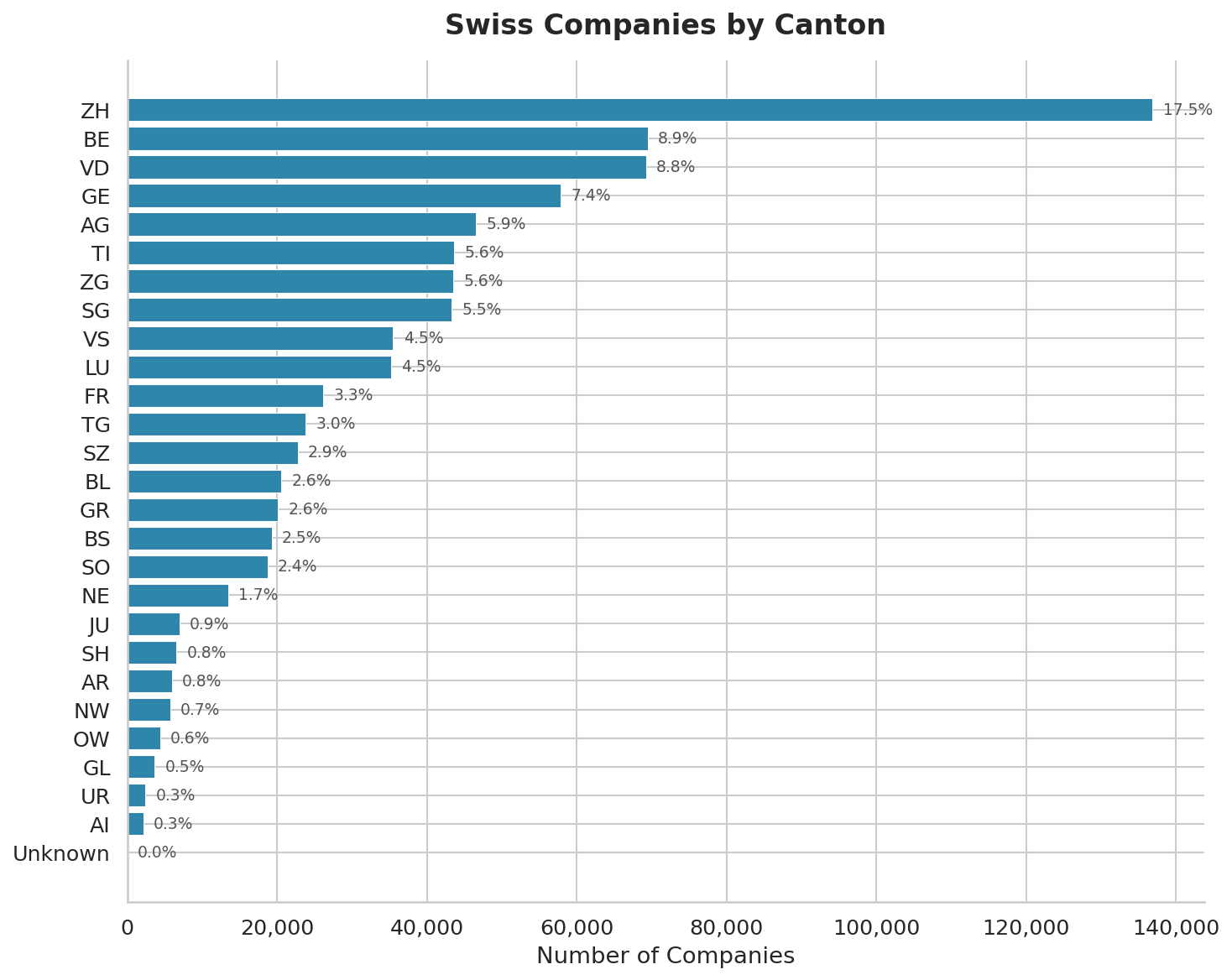
Exporting 50,000 Rows of Swiss Corporate Data for ML Training
If you're training a model — industry classifier, churn predictor, graph embeddings over the Swiss corporate network — you want bulk data, not 50 000 per-company GET requests. The VynCo bulk export endpoint is built for exactly this.
The three-step pattern
import vynco, time
client = vynco.Client()

# 1. Create a job
job = client.exports.create(
    format="ndjson",              # or "csv"
    canton="ZH",                   # optional filter
    changed_since="2025-01-01",    # only rows updated after
    max_rows=50000,
).data

# 2. Poll status (we'd emit more events if you asked)
while True:
    job_status = client.exports.get(job.id).data
    if job_status.job.status == "completed":
        break
    if job_status.job.status == "failed":
        raise RuntimeError(f"export failed: {job_status.job.error_message}")
    time.sleep(5)

# 3. Stream the result
data = client.exports.download(job.id)   # returns bytes
# For NDJSON: one JSON object per line
for line in data.decode().splitlines():
    row = json.loads(line)
    # ... feed into your training pipeline
Why async
Bulk exports over 50 000 rows take 30-60 seconds to generate on our side (indexed scan + NDJSON encoding + gzip). Holding an HTTP connection open that long is fragile — proxies time out, loadbalancers reset, client code retries the whole thing. Instead:
POST /v1/exportsreturns immediately with a job ID (status:pending)- A background worker claims pending jobs every 5 minutes and runs the filtered query
GET /v1/exports/{id}returns status + inline data when under 10 MBGET /v1/exports/{id}/downloadstreams the raw file for larger exports
The SDK wraps this in the three calls above.
Filters
All filters combine with AND:
| Filter | Effect |
|---|---|
canton | Two-letter canton code (ZH, GE, BE, ...) |
status | Active, In Liquidation, Deleted (normalised) |
industry | ILIKE match against populated industry labels |
changed_since | ISO 8601 — only rows whose updated_at is after |
max_rows | Tier-capped: Professional = 100 000, Enterprise = 1 000 000 |
Combined filters produce a much cleaner dataset than downloading everything and filtering client-side. For training an auditor-classification model, {canton: "ZH", industry: "Financial Services", max_rows: 20000} is exactly what you want.
NDJSON vs CSV
- NDJSON — recommended. One JSON object per line. Fields preserve types (numbers are numbers, nulls are nulls). Easy to parse row-by-row without loading the whole file into memory.
- CSV — use when your downstream tool (Excel, most SQL loaders) expects it. Fields are quoted per RFC 4180; numeric types degrade to strings; nulls become empty strings. The first line is a header.
Iterating a large NDJSON without loading it all
import json
from io import StringIO

raw = client.exports.download(job.id).decode()
for i, line in enumerate(StringIO(raw)):
    row = json.loads(line)
    if i % 10_000 == 0:
        print(f"row {i}: {row['uid']} {row['name']}")
    yield row
For exports over 100 k rows the SDK accepts a chunk_size argument that streams download bytes directly to disk so you never hold the full payload in memory.
Rate limits and credits
- 1 credit per export job creation. The rows themselves don't count.
- Max 10 concurrent pending jobs per user — creating an 11th returns 429.
- Files expire after 7 days. Download, cache to your own storage, rely on the export URL at your peril.
Full example
bulk_export.py is the end-to-end runner with polling, progress logging, and a NDJSON-to-pandas loader. Under 60 lines.
When to use bulk export vs. streaming
- Snapshot / training data → bulk export, filtered to the subset you need
- Real-time monitoring → watchlists + webhooks (see our earlier post on real-time change feeds)
- Ad-hoc queries →
companies.list()with pagination, for interactive dashboards where results need to be current
Rule of thumb: if you'll process the same data more than once, export it; otherwise paginate.
Links
- Example: bulk_export.py
- API docs: vynco.ch/docs/exports
- Get an API key: vynco.ch/signup